- Step 1:
Login to your ZyXEL router via the default gateway.
- Step 2:
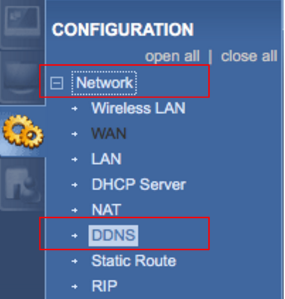
Click on “Network” and then “DDNS.”
- Step 3:
Click “Enable Dynamic DNS.” Enter the following information: Service Provider: WWW.NO-IP.COM Host Name: all.ddnskey.com User Name: DDNS Key Username Password: DDNS Key Password DDNS Key usernames and passwords are created individually for each hostname or group of hostnames. They are generated from the DNS Records page in your account.
- Step 4:
Click on “Apply.” Congratulations, the ZyXEL router will now send No-IP updates whenever the IP address changes.