This guide for the older firmware of the Netgear router. If you are looking for the latest genie firmware, please review this article.
-
Login to the Netgear router via the default gateway address.
-
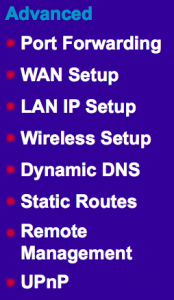
Click “Port Forwarding” under “Advanced” on the left-hand navigation bar.
-
Select “Add Custom Service.”
-
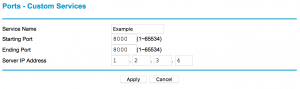
Enter a Service Name, Starting Point, End Point and IP Address. Then click “Apply.”
You should now be able to connect to your device via a web browser. Simply enter your hostname followed by the port number into the address bar. For example http://hostname.ddns.net:8000

